
Cleaning Route Planner
Enter where you start and today's clients. Get the best order to visit them, when you arrive at each one and the drive cost of each leg.
Free for up to 8 stops and 3 plans a day. Addresses are sent to our routing server to work out the order; they are not stored or logged.
Recent
Your last 10 settings, saved only in this browser. Nothing is uploaded.
The cleaning route planner puts a day of cleaning jobs in the order that costs the least driving. Enter where you start, add today’s client addresses and the time you leave. For every stop you see the arrival time, the distance and drive time from the stop before, and the drive cost of that leg from your own rate per mile or kilometre.
It works in the United States, Canada, the United Kingdom, Germany, Australia, Sweden, the Netherlands and France, with all stops in one country (in the United States, one part of the country). Distances use OpenStreetMap roads and the fastest car route without live traffic, so treat the times as a plan.
Free: 2 to 8 stops and 3 plans a day, with the full result, copy and print. Pro: up to 25 stops, time windows such as “not before 10:00”, minutes at each stop and several saved plans.
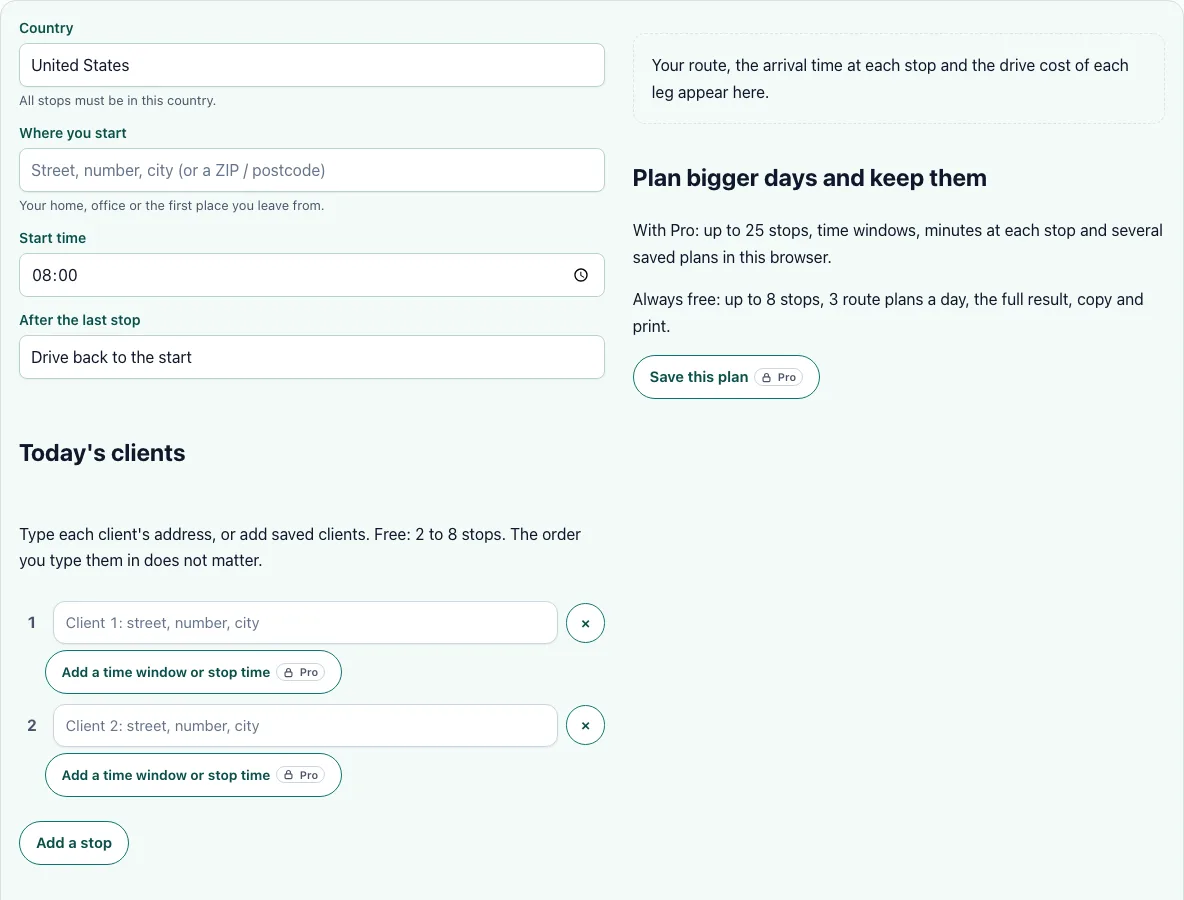
How to use the Cleaning Route Planner
- Choose the country. Every address must be in it.
- Type where you start the day: home, the office or the first place you leave from.
- Set the start time and say whether you drive back to the start or finish at the last stop.
- Type today’s clients’ addresses, one in each box, and use Add a stop for more. A ZIP or postcode works if you do not have the street yet, but the times are then approximate.
- Press Plan my route. The page first shows what it found for each address. If one is wrong, pick another suggestion and press the button again; changing a suggestion does not use up a plan.
- Read the table: the order, the arrival time, the drive from the stop before with links to open that leg in Google Maps or Apple Maps, and the drive cost of the leg.
- Copy the plan as text for a message to your team, or print it.
An address that cannot be found is shown and left out of the plan, with the reason. The plan never fails silently. If you plan the same round every week, keep your clients in the saved clients list so you can pick them instead of typing each address again.
What order should I clean my clients in?
The planner looks for the order with the shortest total drive time, starting from your start address. It does not know how long you stay at a client unless you say so (Pro), so the arrival times assume you leave each stop as you arrive. With the minutes at each stop filled in, the times after that stop move later by that amount.
How do I charge travel time between cleaning jobs?
The planner shows a drive cost for each leg: the leg’s distance times your rate per mile or kilometre. That is what the driving costs you, not the fee you charge. A client’s travel fee is the fee from your base, so the planner only shows the fee saved on a saved client (read-only) next to the stop and never changes it. To set the fee for a client, use the travel fee calculator.
Can I set a time window for a client?
With Pro, yes. Set “not before” and “not after” times for a stop, for example a client who is only home after 10:00. The planner puts that stop where it fits and shows when you wait for a window to open. A stop that cannot fit its window is listed apart from the plan, so you can move it to another day.
Should I drive back to the start?
Choose round trip when you end the day where you began, for example at home or the office, and the planner adds the drive back to the total time and to the day’s drive cost. Choose one way when your last client is on the way home, so the way back is not counted. Comparing both for the same clients shows how much the return drive adds to a day.
How accurate are the times?
Drive times come from OpenStreetMap road data for the fastest route by car, without live traffic or parking time. Address matching is best when the house number is found. In the United States a street may be found without its number; the page says so and you can pick another suggestion. Add buffer for rush hour and for finding a place to park.
Frequently asked questions
Is the cleaning route planner free?
Yes, for up to 8 stops and 3 route plans a day, with the full result and the option to copy or print it. Pro raises the limit to 25 stops and adds time windows, minutes at each stop, saved plans, and the saved travel fee of each client shown next to the stop.
Are the addresses stored?
No. The addresses are sent to our own routing server to work out the order and are not stored or logged there. The server keeps only a daily count of plans per visitor for the free limit. Saved clients and saved plans stay in your browser.
How many stops can I plan?
Up to 8 for free and up to 25 with Pro. For a bigger day, split it into two routes.
What if an address is not found?
It is shown and left out of the plan. Try the city, the ZIP or postcode, or pick another suggestion, then plan again.
Can I plan stops in two countries?
No. All stops must be in one covered area, because routes between countries, or between separate parts of the United States, are not available. Plan each area as its own route.
Where does the map data come from?
From OpenStreetMap contributors, used under the Open Database Licence. The attribution is shown next to every result.
Related tools
- Cleaning travel fee calculator: Charge for the drive from your base to one client.
- Cleaning time calculator: Work out the hours on site for each stop.
- Cleaning labor cost calculator: See what each driving hour costs you.
- Cleaning estimate template: Put the travel fee on a printable estimate.
- Cleaning work order template: Hand each stop its job sheet.