
Cleaning Travel Fee Calculator
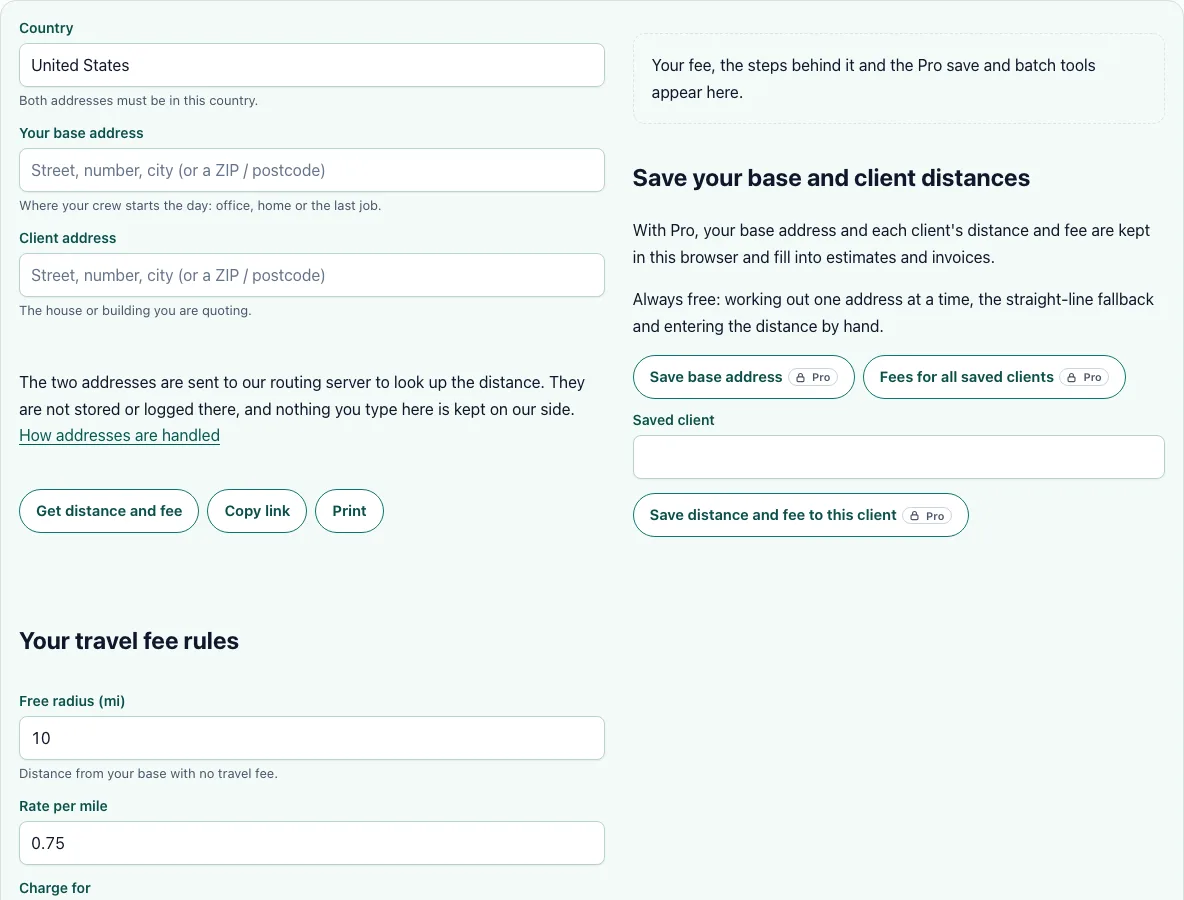
Type your base address and a client's address to get the road distance, the drive time and the travel fee.
Free for one address at a time. Both addresses are sent to our routing server to look up the road distance; they are not stored or logged.
Recent
Your last 10 settings, saved only in this browser. Nothing is uploaded.
The cleaning travel fee calculator turns two addresses into a price for the drive. Enter your base address and the client’s address, and it looks up the road distance and drive time. It then applies your own travel rules: a free radius, a rate for every mile or kilometre beyond it, and an optional minimum and maximum fee.
The result shows the one-way distance, how much of it is billed and the fee, so you can explain the charge to the client. It works in the United States, Canada, the United Kingdom, Germany, Australia, Sweden, the Netherlands and France. The rates it starts with are examples, not a market price: set your own.
How to use the Cleaning Travel Fee Calculator
- Choose the country. Both addresses must be in it.
- Type your base address: the place your crew leaves from.
- Type the client’s address and press Get distance and fee. A ZIP or postcode works if you do not have the street yet, but the distance is then approximate.
- Check the address shown under the button. If it is not the right one, pick another suggestion from the list and the fee updates.
- Set your travel rules: the free radius, the rate per mile or kilometre, whether you bill the way there only or there and back, and a minimum and maximum fee if you use them.
- Read the fee and the breakdown below it. Change any rule and the fee updates at once, without a new address lookup.
If you already know the distance, type it into the last field and skip the addresses. Use Copy link to keep your rules, or print the result to attach to a quote. The links keep your rules, never the addresses.
If the road service is busy or unavailable, the page tells you and shows the straight-line distance instead, clearly marked. A straight line is shorter than any road, so treat that fee as a minimum.
What is a free radius?
A free radius is the distance from your base inside which you charge no travel fee. If it is 10 miles and a client is 8 miles away, the fee is zero. If the client is 18 miles away, only the 8 miles beyond the radius are charged. This keeps nearby clients from paying for your fuel while still covering the longer drives. Pick the radius from the area where a job still pays without a separate charge.
How do I charge a travel fee for a cleaning job?
The calculator uses this common set-up: fee = (distance − free radius) × rate. A client 18 miles away with a 10 mile free radius and $0.75 per mile gives 8 × $0.75 = $6.00 one way. A minimum fee applies only when the client is outside the free radius but the rate gives less, so a client 10.4 miles away pays the minimum, not 30 cents. A maximum fee holds the charge at a level you will quote without a second thought.
Should I charge for the round trip or one way?
Choose round trip if the rate is meant to cover the whole drive. Then the extra distance is counted twice: 8 extra miles at $0.75 is $12.00. Choose one way if your rate already allows for the drive back. Say which one you use on the quote. Guides for cleaning businesses often suggest between $0.50 and $1.00 per mile, or a flat amount outside the core area. Treat that as a range to test against your own fuel, vehicle costs and drive time.
How accurate is the distance?
Distances and drive times come from OpenStreetMap road data and the fastest route by car, without live traffic. Address matching is best when the house number is found. In the United States, a street may be found without its number: the page says so, and you can pick another suggestion. Rounding rules are available in Pro.
Frequently asked questions
Is the travel fee calculator free?
Yes, for one address at a time. You get the distance, the drive time and the fee, and you can print or copy the result. Pro keeps your base address and each client’s distance and fee in your browser and fills them into estimates and invoices.
Are the addresses stored?
No. The two addresses are sent to our routing server to look up the distance and are not stored or logged there. The server keeps only a daily count of lookups per visitor for the free limit. Your saved clients stay in your browser, except that with Pro, “Fees for all saved clients” sends each saved client’s address the same way, one at a time, to get the fee.
How many free lookups do I get?
20 road-distance lookups a day per visitor. When they are used up, you can enter the distance yourself and everything else still works.
What if the address is not found?
Try the city, the ZIP or postcode, or pick another suggestion. For a place the map does not know, enter the distance by hand.
Can I price a client in another country?
No. Both addresses must be in the same country, because routes between countries are not available. Enter the distance by hand for a cross-border trip.
Where does the map data come from?
From OpenStreetMap contributors, used under the Open Database Licence. The attribution is shown next to every road-distance result.
Related tools
- House cleaning estimate calculator: Price the visit, then add the travel fee.
- Cleaning estimate template: Put the travel fee on a printable estimate.
- Cleaning invoice template: Bill the fee as its own line.
- Cleaning route planner: Put a day of clients in the best driving order.
- Cleaning time calculator: Work out the hours on site.
- Cleaning labor cost calculator: See what each driving hour costs you.
- How to charge for house cleaning: Set the base price first.